
Kubernetes workload optimizer policies control which Deployments and StatefulSets Hyphen Agent optimizes on a recurring schedule. Policies are configured per workload, from the cluster's Settings tab.
For what an optimizer run does and how recommendations are approved, see Kubernetes Optimizer in the Agent section.
Table of Contents
Configure a Workload
To add a policy for a workload:
- Open Kubernetes.
- Select a cluster.
- Open the Settings tab.
- In Policies, find Workload Optimization.
- Click Configure workload.
- Choose the workload, set whether optimization is enabled, and choose a schedule.
- Click Save.
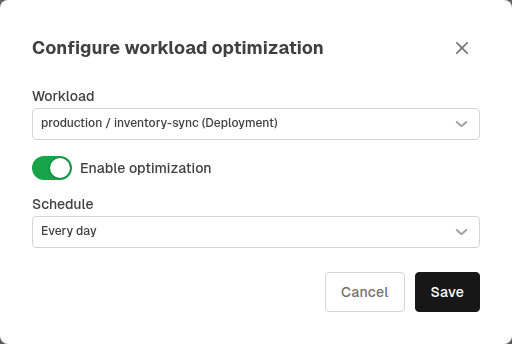
Only Deployments and StatefulSets from the cluster's latest inventory can be selected. A workload that already has a policy does not appear again in the picker — each workload can have at most one policy.
Available schedules are:
- Manual only
- Every hour
- Every 6 hours
- Every 12 hours
- Every day
- Every week
- Every month
- Every quarter
Managing Existing Policies
Each configured workload appears as a row showing the workload's kind and namespace, its schedule, an enable/disable switch, and a remove action.
- Use the schedule control to change how often Agent runs the Kubernetes optimizer for that workload.
- Turn the switch off to pause scheduled runs for a workload without deleting its policy. The schedule control is hidden while a policy is disabled.
- Click the remove action to delete the policy entirely. The workload becomes available again in the Configure workload picker.
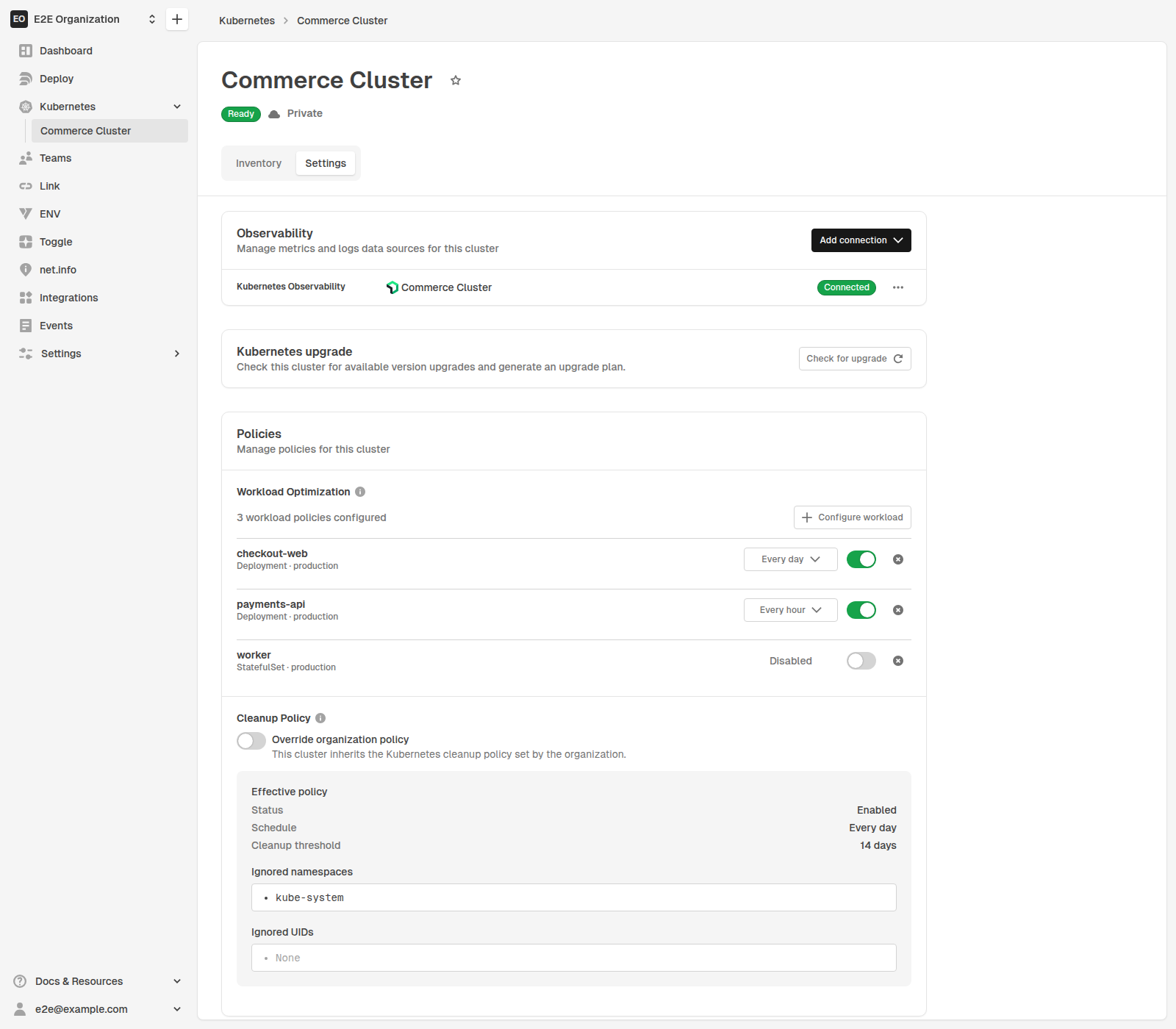
If a workload configured with a policy no longer appears in the cluster's latest inventory, its row is marked Unavailable in latest inventory.
Manual Runs Are Always Available
Workload optimizer policies only control scheduled runs. Whether or not a workload has a policy, you can still ask Hyphen Agent to run the optimizer for it from chat, or start a run on demand from the Optimize now action on the workload's details panel in the cluster diagram.
Things to Know
- Policies are scoped to a single Deployment or StatefulSet in one cluster.
- Managing policies requires permission to manage Agent task policies for the cluster.
- Disabling or removing a policy does not cancel a run that is already in progress.
- Scheduled runs use the same approval and guardrail behavior as manual optimizer runs.