
Remove a cluster when Hyphen should stop managing it. Removal starts a workflow that removes Hyphen management for the cluster.
Table of Contents
Remove From Hyphen
To remove a cluster:
- Open Kubernetes.
- Select the cluster.
- Open the Settings tab.
- Find Remove Cluster.
- Click Remove.
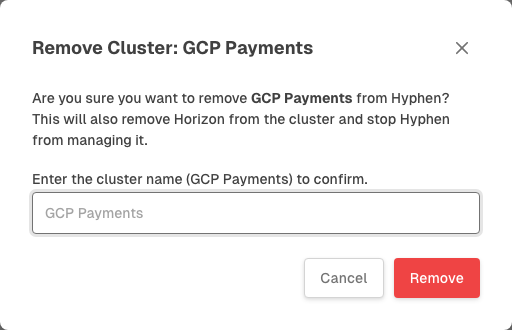
- Type the cluster name to confirm.
- Click Remove in the confirmation modal.
After removal starts, Hyphen returns you to the Kubernetes cluster list.
Cleanup Needed
If Horizon is still connected, the cluster can enter a Cleanup needed state. In that case, remove Horizon from the cluster, for example by running kubectl delete namespace hyphen-horizon, or wait for it to disconnect, then remove the cluster again from Hyphen.
Things to Know
- Removing a cluster stops Hyphen from managing that cluster.
- Removal does not delete your application workloads.
- You need permission to manage Kubernetes clusters in the organization.
- If you remove the wrong cluster, reinstall Horizon to register it again.