
Kubernetes cleanup policies control how Hyphen Agent scans registered clusters for stale Kubernetes resources. The policy decides whether scheduled cleanup scans run, how often they run, what age threshold Agent uses, and which namespaces or resource UIDs Agent should ignore.
For the run behavior, candidate categories, and approval options, see Kubernetes Resource Cleanup in the Agent section.
Table of Contents
Organization Policy
The organization policy is the default Kubernetes cleanup policy for registered clusters.
To manage it:
- Open Organization Settings.
- Go to Policies.
- Find Kubernetes cleanup.
- Use the switch to enable or disable scheduled Kubernetes cleanup.
- Click Settings to edit schedule, threshold, ignored namespaces, and ignored UIDs.
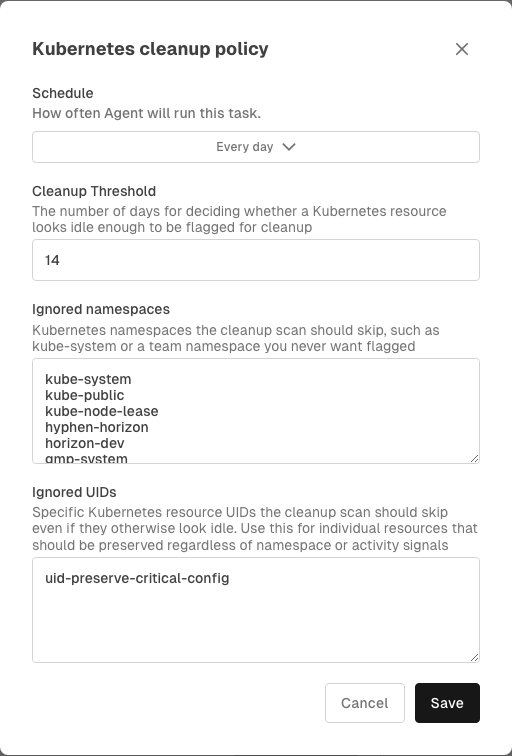
The organization policy can configure:
- Enable Kubernetes cleanup - turns Kubernetes cleanup task creation on or off. When disabled, Hyphen does not create scheduled cleanup scans and manual Agent cleanup requests are blocked for that policy scope.
- Schedule - controls how often Agent runs cleanup scans. The default is a daily recurring schedule. Choose manual-only mode to disable scheduled scans while still allowing one-off manual requests. Available options are:
- Manual only
- Every hour
- Every 6 hours
- Every 12 hours
- Every day
- Every week
- Every month
- Every quarter
- Cleanup Threshold - sets the number of stale days used when deciding whether a resource should be flagged.
- Ignored namespaces - namespaces Agent should skip.
- Ignored UIDs - individual Kubernetes resource UIDs Agent should skip.
Cluster Overrides
Each Kubernetes cluster can inherit the organization policy or define its own override.
To manage a cluster override:
- Open Kubernetes.
- Select a cluster.
- Open the Settings tab.
- In Policies, find Cleanup Policy.
- Turn on Override organization policy.
- Edit the schedule, cleanup threshold, ignored namespaces, and ignored UIDs for that cluster.
- Click Save override.
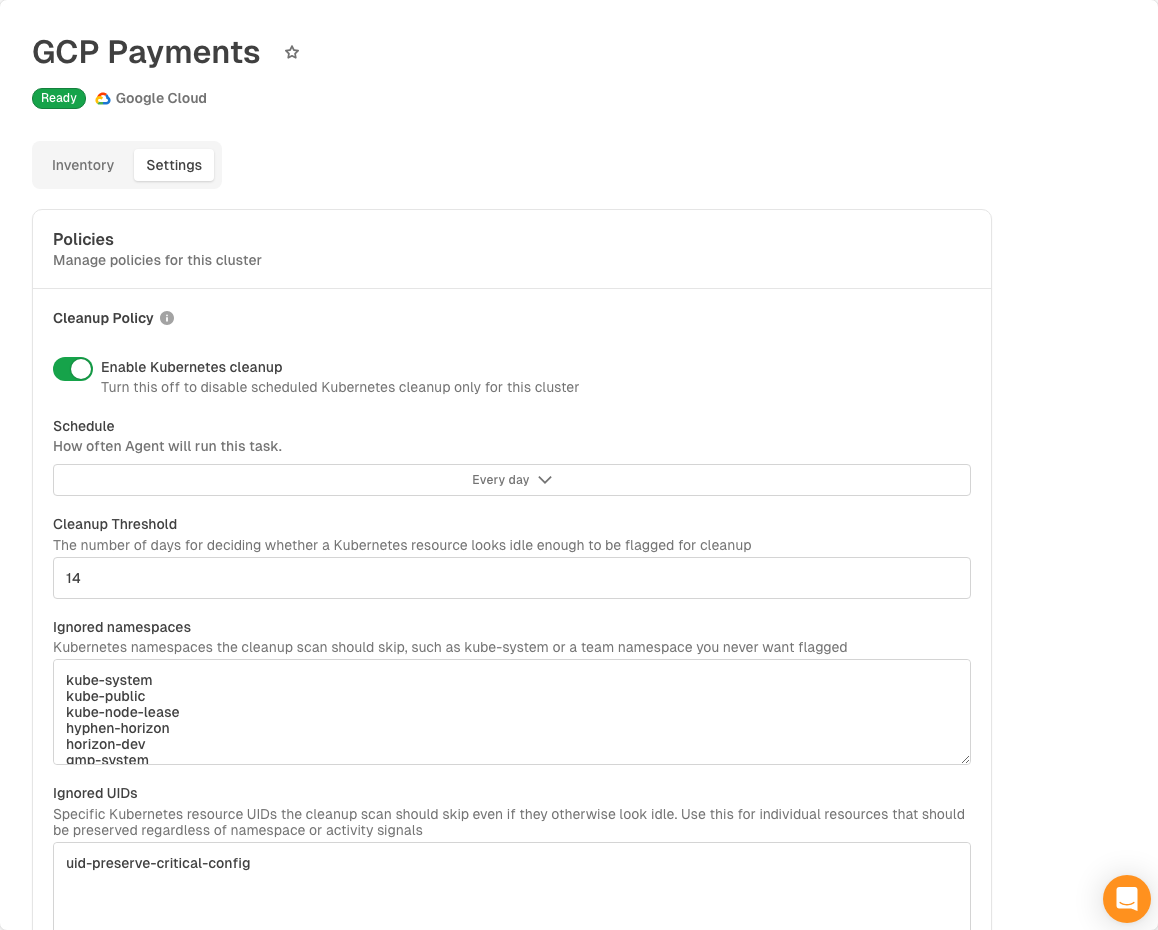
Cluster overrides apply only to the selected cluster. Removing the override returns the cluster to the organization policy.
Policy Precedence
Hyphen resolves Kubernetes cleanup policy in this order:
- Use the cluster override when one exists.
- Otherwise, use the organization policy.
This lets most clusters share the organization default while individual clusters use stricter or looser rules when needed.
Things to Know
- Policies affect scheduled Kubernetes cleanup scans and whether manual Agent cleanup requests are allowed. Use manual-only mode, not disabled cleanup, when you want one-off cleanup scans without recurring schedules.
- Ignored namespaces and ignored UIDs prevent matching resources from being flagged as cleanup candidates.
- Cleanup scans are read-only until a cleanup candidate is explicitly approved in the Agent run.
- Cleanup decisions include Clean up, Do nothing, Always ignore, and Ignore namespace always when the candidate is namespaced.