
Kubernetes Management for Registered Clusters
added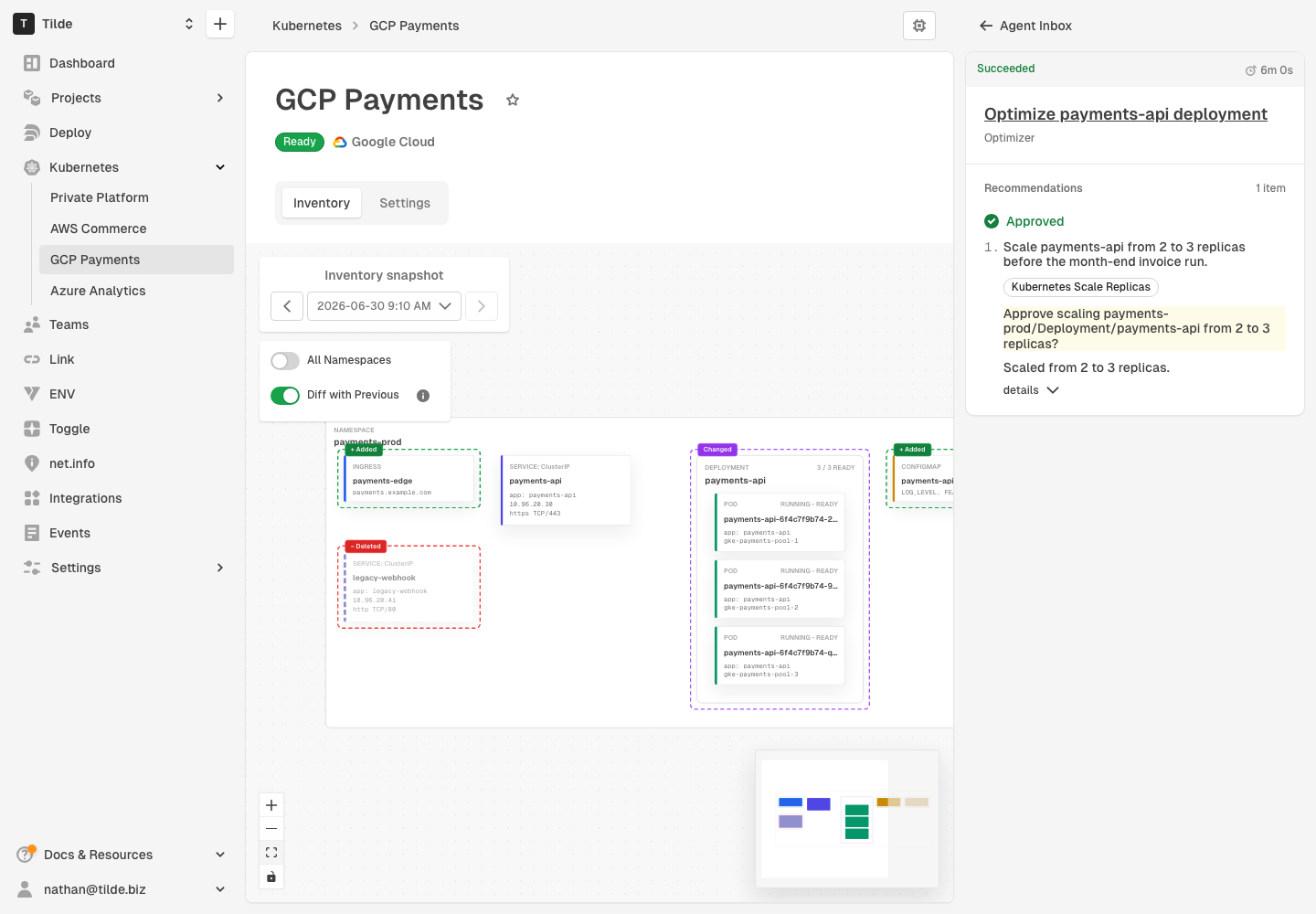
Hyphen now gives teams a complete Kubernetes management loop: register clusters with your organization by installing Horizon, inspect inventory changes over time, prompt Agent for workload optimization recommendations, approve scale changes, and safely review automated or manually initiated cleanup of stale resources.
This release brings Kubernetes into Hyphen as a top-level experience, connecting cluster registration, inventory snapshots, workload optimization, cleanup policies, Agent run review, and activity timelines into one operational workflow.
Register and Manage Kubernetes Clusters
Kubernetes is now a top-level area in Hyphen. From the cluster list, you can register clusters in private clouds, AWS, Google Cloud, and Azure.
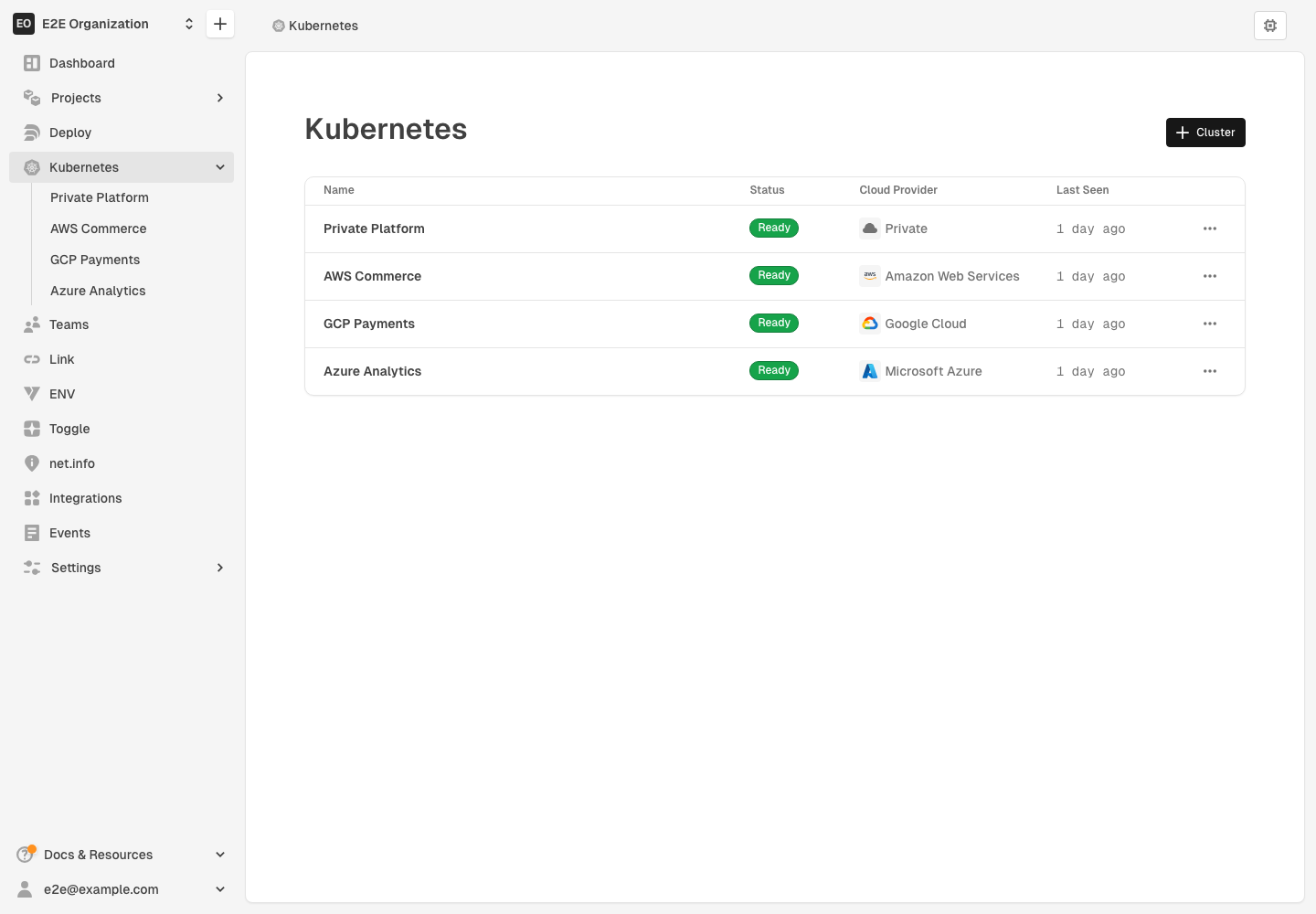
Registering a cluster uses a generated kubectl apply command that installs
Horizon in the hyphen-horizon namespace. The command includes an API key that
allows Horizon to connect the cluster and report inventory back to your Hyphen
organization.
Learn more:
Inspect Inventory Changes Over Time
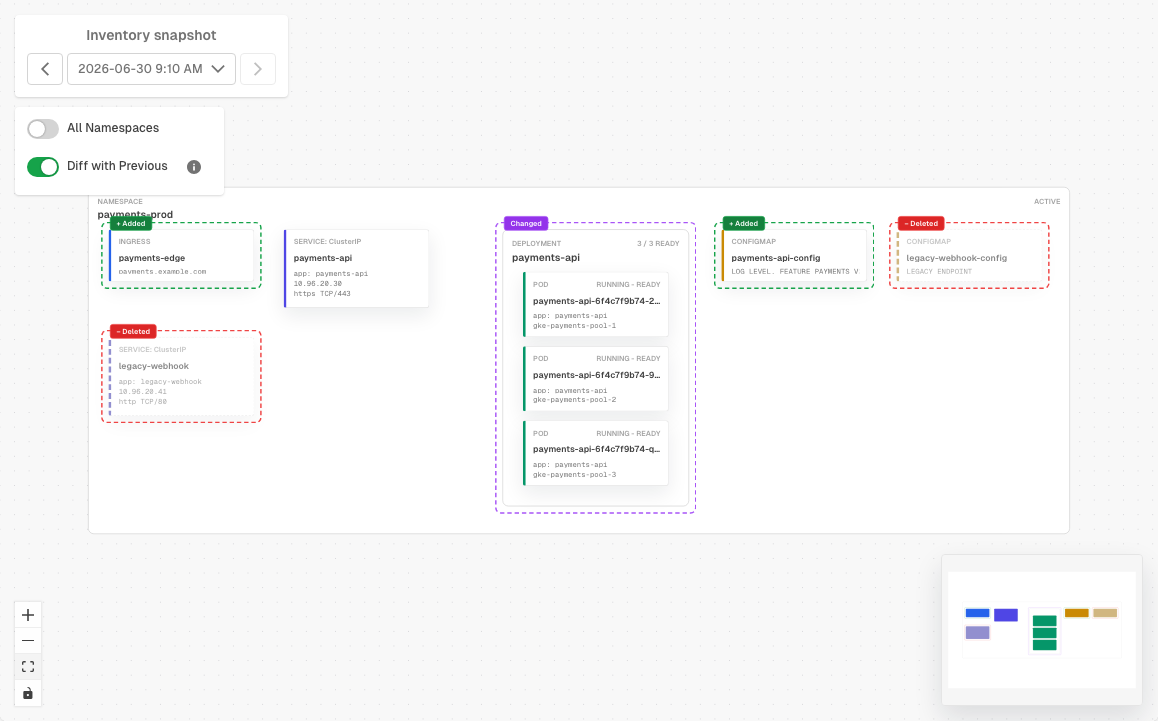
Cluster details now include a dedicated inventory view with refresh controls, snapshot history, previous and next navigation, and diffs that highlight added, removed, and changed resources between snapshots.
The inventory graph includes namespace filtering, resource details, minimap navigation, and direct links to loaded snapshots.
With Diff with Previous enabled, the Kubernetes cluster flow diagram also helps teams review the impact of Agent or manual work over time. Cluster changes show up in the graph as highlighted workload, resource, or removal changes between snapshots. When replica readiness or desired replicas change, Hyphen highlights the affected workload and shows the previous and current values so teams can quickly understand what changed.
Learn more in Inventory Snapshots.
Review Workload Scaling Recommendations
Teams can now prompt Hyphen Agent to run Kubernetes Optimizer for a registered cluster workload. When asked, Agent uses the latest Kubernetes inventory to review the workload state and suggest replica changes that better match expected demand.
Optimizer task and run views now show the Kubernetes cluster and workload in context, including recommendations, analysis notes, approval status, and scale outcomes such as succeeded, skipped, or failed changes. Applied Kubernetes scale changes also appear in Agent run summaries alongside other approved recommendations.
Optimizer is user-initiated and scale recommendations require explicit approval before anything changes. Before applying an approved recommendation, Hyphen rechecks the workload against the replica count that was reviewed. If the workload changed, cannot be found, or appears to be managed by autoscaling, Agent skips the change and reports why.
After an approved scale change, Hyphen waits for the rollout and refreshes inventory so teams can verify the updated cluster state.
Learn more in Kubernetes Optimizer.
Cleanup Policies and Agent Review
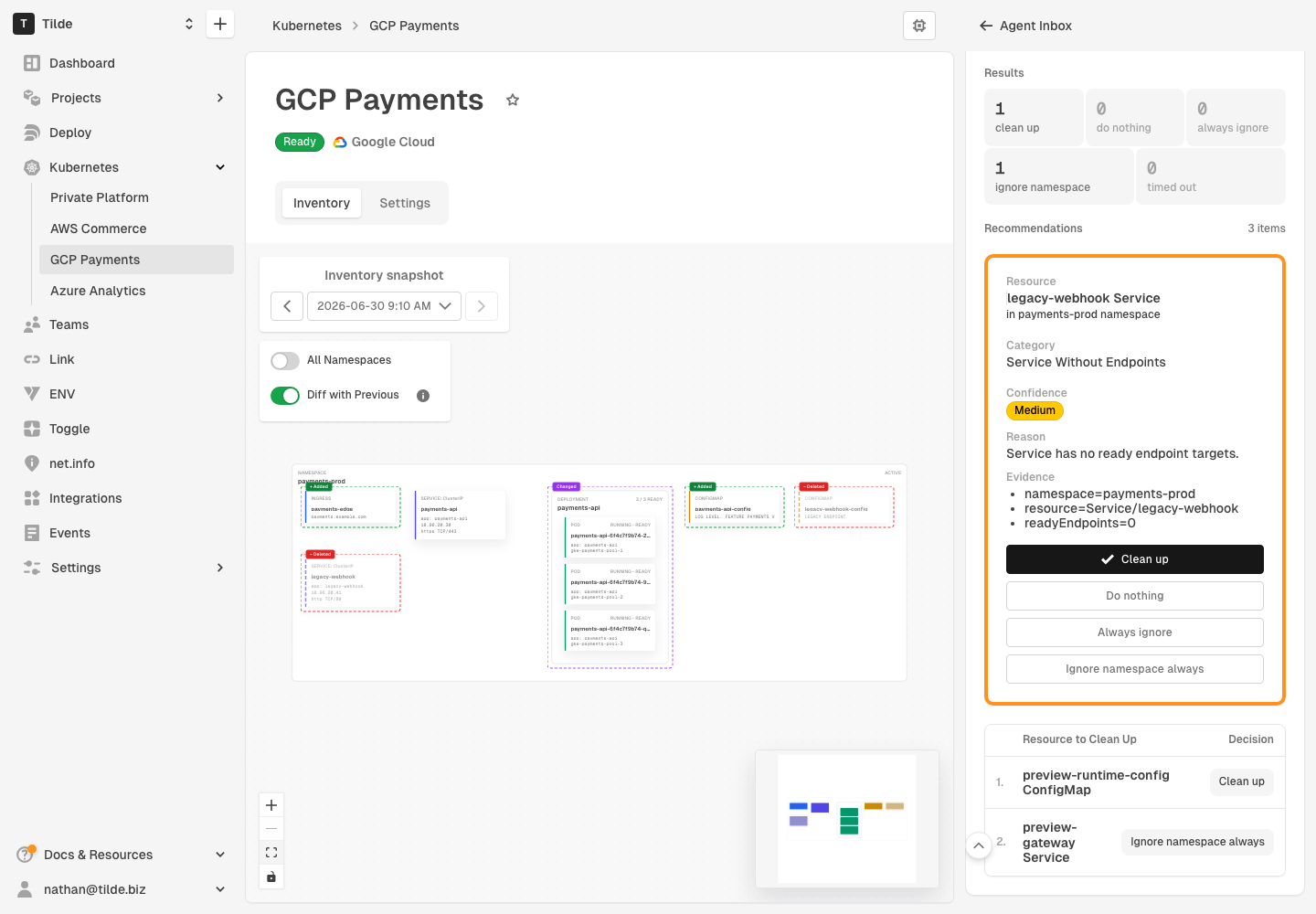
This gives teams the same review-before-action workflow for cleanup that Optimizer uses for workload scaling recommendations: scan, review candidates, approve the action, apply the change, and review the result.
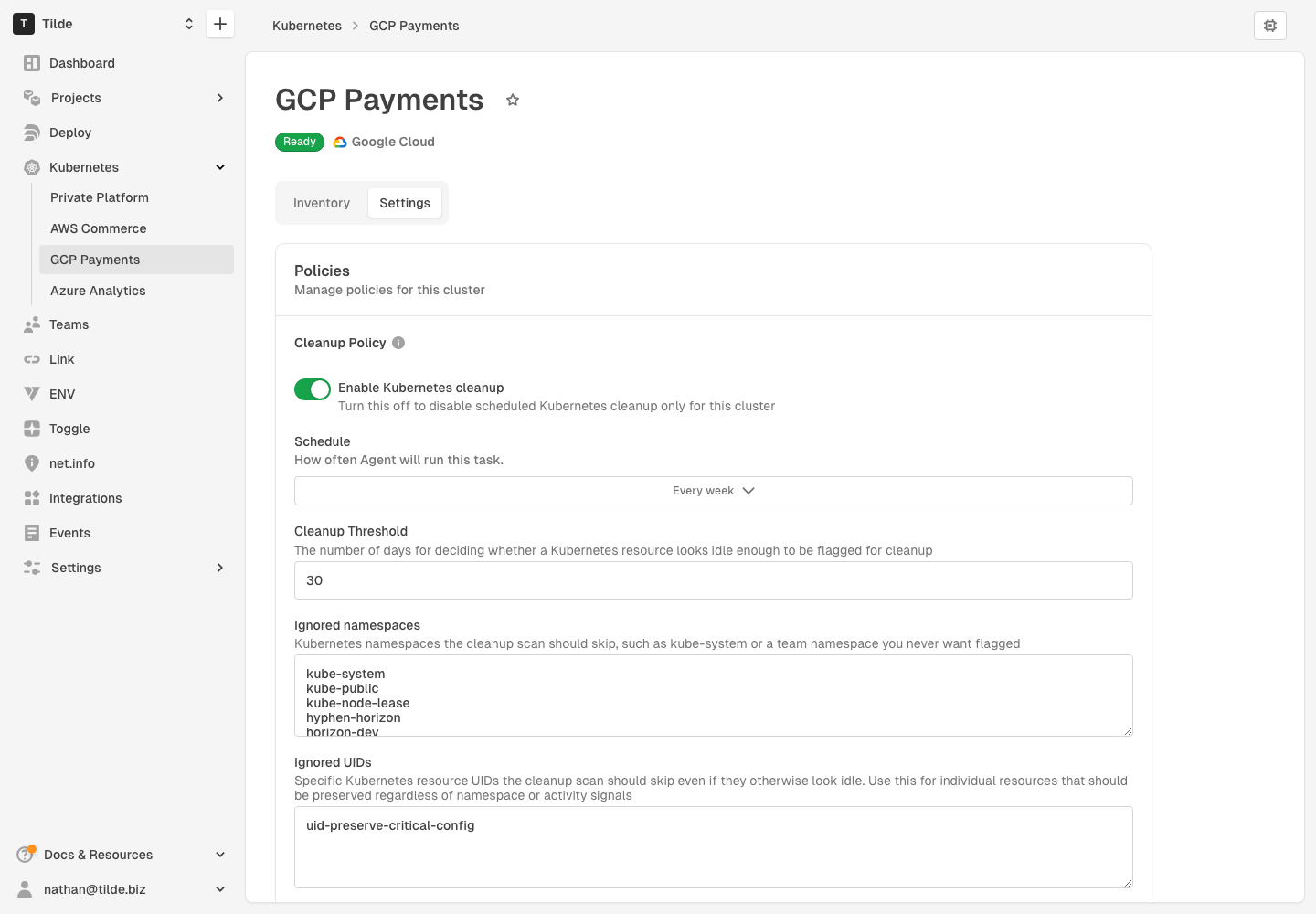
Kubernetes resource cleanup is automated by default through the organization cleanup policy. Admins can adjust the schedule, set the stale-resource threshold, and maintain ignored namespaces or resource UIDs.
Clusters inherit the organization policy by default, but teams can use a cluster-level override when a specific cluster needs a different review rhythm. For example, one cluster can scan weekly with a longer stale-resource threshold and its own ignored namespaces or UIDs while the rest of the organization keeps the default policy.
Hyphen Agent runs cleanup scans automatically from policy and can also start a manual cleanup scan when requested. Agent collects inventory, identifies stale or unused resources, and asks for an explicit decision before deleting anything. New run views show cleanup candidates, approval requests, decisions, and a results summary for each scan.
Learn more:
Other Platform Improvements
This release also includes broader platform polish outside Kubernetes:
- Custom domain and deployment networking provisioning is more consistent across AWS, Azure, Google Cloud, and Cloudflare, including DNS zones, records, and backend endpoints.
- Agent task views have clearer scheduled and recurring task cards, plus shared summary metrics for run results such as Log Analysis.
- Chat message copy actions now copy trimmed message text more reliably, and object storage connection descriptions are clearer during deployment setup.
Things to Know
- Horizon must be installed and connected before Hyphen can show inventory, recommend workload scaling changes, or run Kubernetes cleanup scans.
- Kubernetes cleanup scans run automatically from the organization policy by default and can also be started manually. Scans are read-only until an explicit cleanup decision is approved.
- Kubernetes Optimizer runs start when a user prompts Agent for a workload recommendation. Recommendations require explicit approval and are rechecked before Hyphen applies a scale change.
- Cluster cleanup policy overrides apply only to the selected cluster. Removing an override returns the cluster to the organization policy.
- Removing a cluster stops Hyphen from managing that cluster, but it does not delete your application workloads.