
Clearer Kubernetes Health and Agent Decisions
addedThe new dashboard makes Agent work that needs your attention easier to find, with tasks awaiting decision and recent activity in one place. Project- and cluster-level links open Agent work in context, while Kubernetes fleet health now distinguishes current problems from retained warning history. Clearer Optimizer evidence helps you verify recommendations before approving changes.
Trust Current Fleet Health Without Losing History
Cluster health now reflects what is happening in the latest inventory instead of treating every retained Kubernetes warning as a live failure. When a pod recovers, stale container issue data and older warning events no longer leave the cluster marked unhealthy.
Hyphen still preserves warning events as diagnostic history, including their occurrence counts and timestamps. This keeps useful evidence available for an investigation while current pod readiness determines whether the fleet needs attention. Historical inventory snapshots continue to show the state captured at that point in time.
Regional and zonal GKE clusters also follow the same discovery and connection flow, making registered cluster coverage more consistent. See how Hyphen collects and compares state in Kubernetes inventory snapshots.
Move from Resource Context to the Right Agent Work
Project and Kubernetes cluster overviews now include a compact View agent tasks button. It opens the Agent panel with tasks already filtered to that project environment or cluster, so you can move from deployment or inventory context to the relevant work without rebuilding filters.
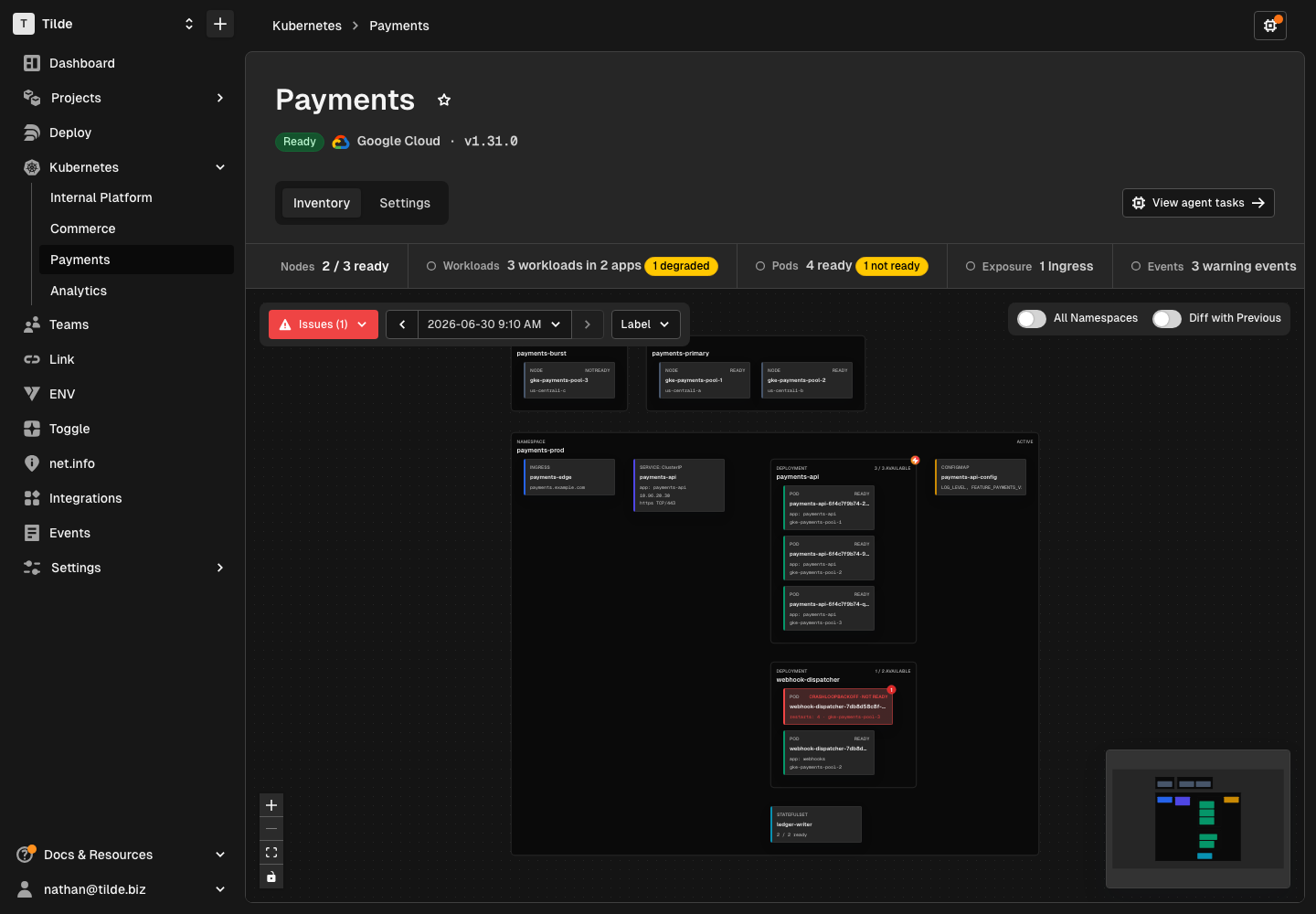
Kubernetes inventory controls also stay usable when the Agent panel narrows the diagram. Snapshot navigation remains grouped, view controls adapt to the available width, and secondary filter details move out of the way on smaller canvases.
See Decisions and Evidence More Clearly
The organization dashboard now summarizes recent Agent activity and highlights tasks waiting for your input. Direct links open the task inbox or the specific work that needs attention, reducing the time spent searching across chat sessions and task lists.
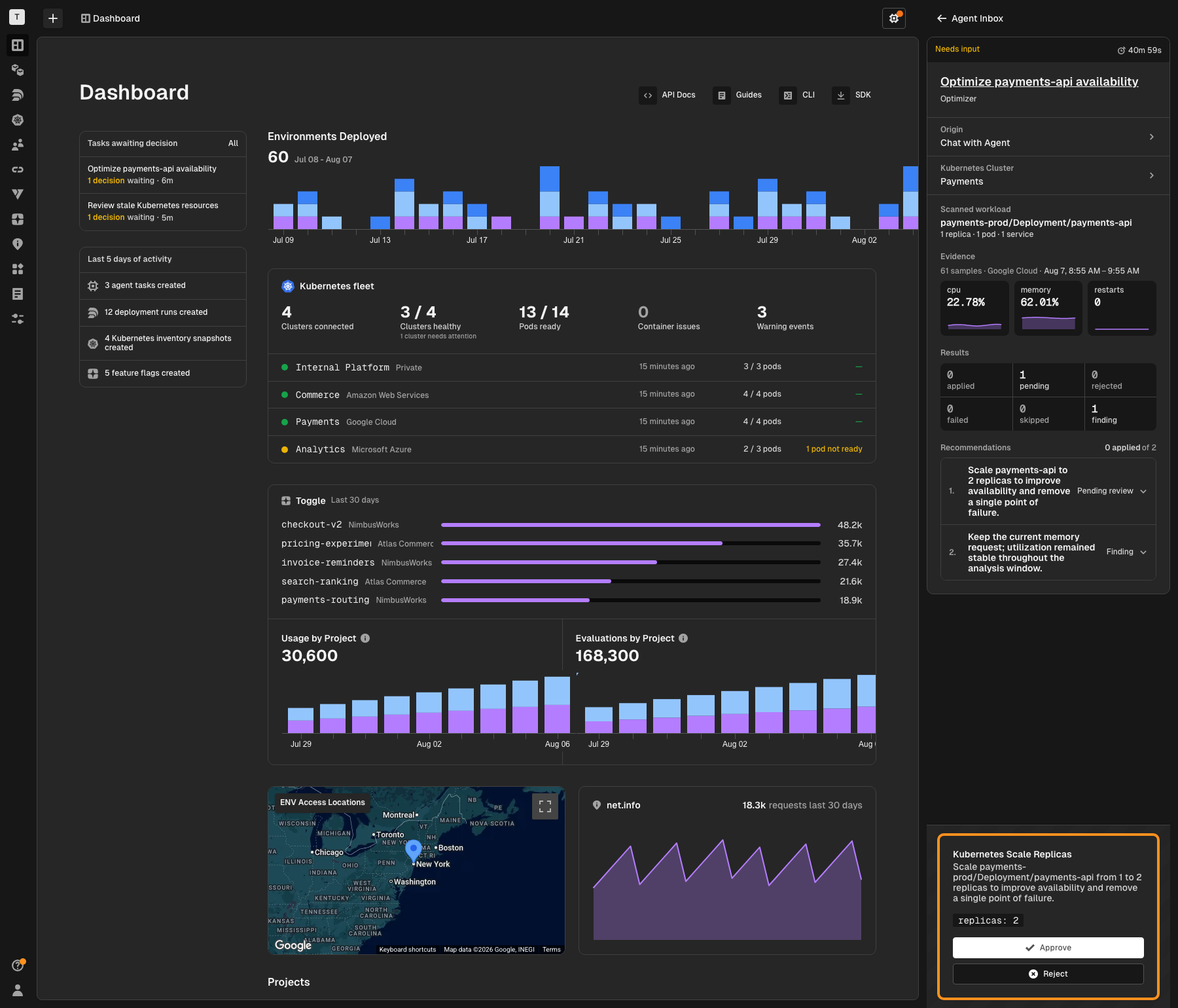
Deployment Optimizer runs now use the same compact scope, evidence, results, and recommendation structure as Kubernetes Optimizer. You can review scanned resources, connected telemetry samples, CPU and memory utilization, request rates, connection status, and collection notes beside the resulting recommendations. When evidence comes from multiple container connections, Hyphen aligns samples by timestamp before summarizing them.
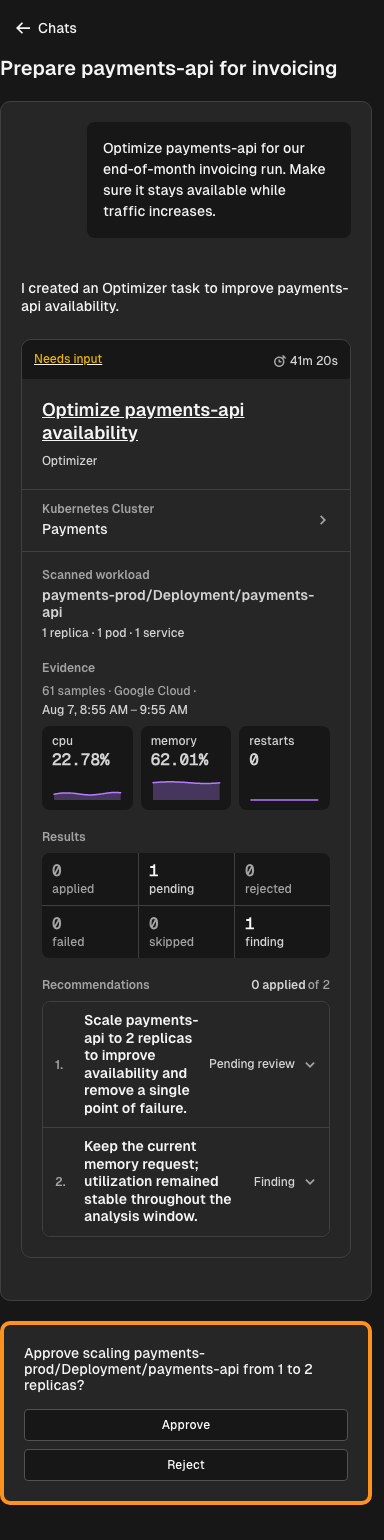
New chat sessions also receive a concise title from the initial request and its attached resources, making entity-specific conversations easier to recognize later. Read more about review-first changes in Agent safety and approvals and about deployment evidence in Deployment Optimizer.
Things to Know
- Warning history is not current health. Retained warning events remain available for diagnosis, while readiness in the latest snapshot determines live fleet status.