
Log Analysis, App Detail Overhaul, and New Relic Integration
added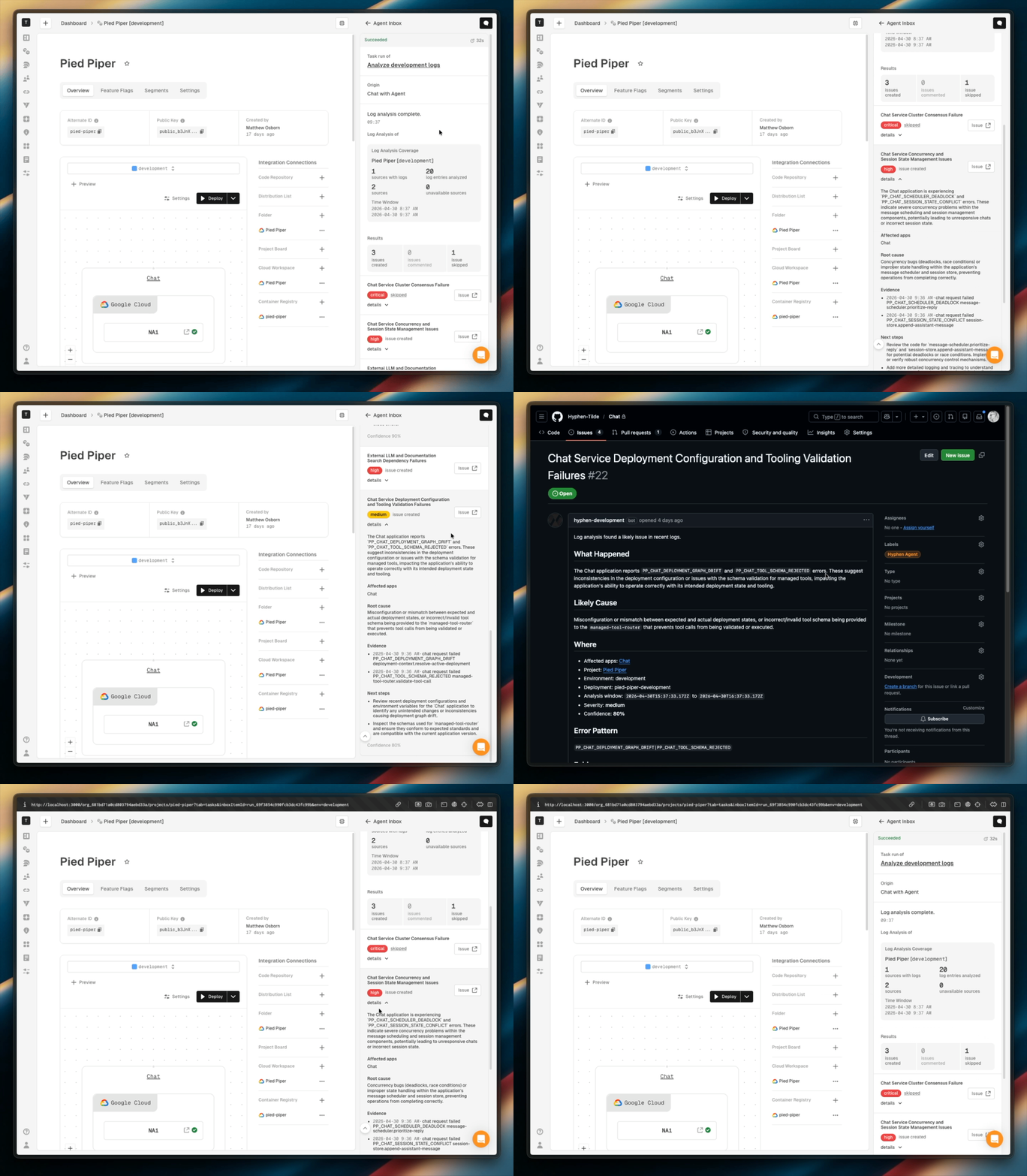
Hyphen Agent can now analyze deployment logs or New Relic APM, surface issues, and link findings directly to GitHub. App detail pages have been rebuilt around environment and preview context.
Agent Log Analysis and New Relic APM Connection
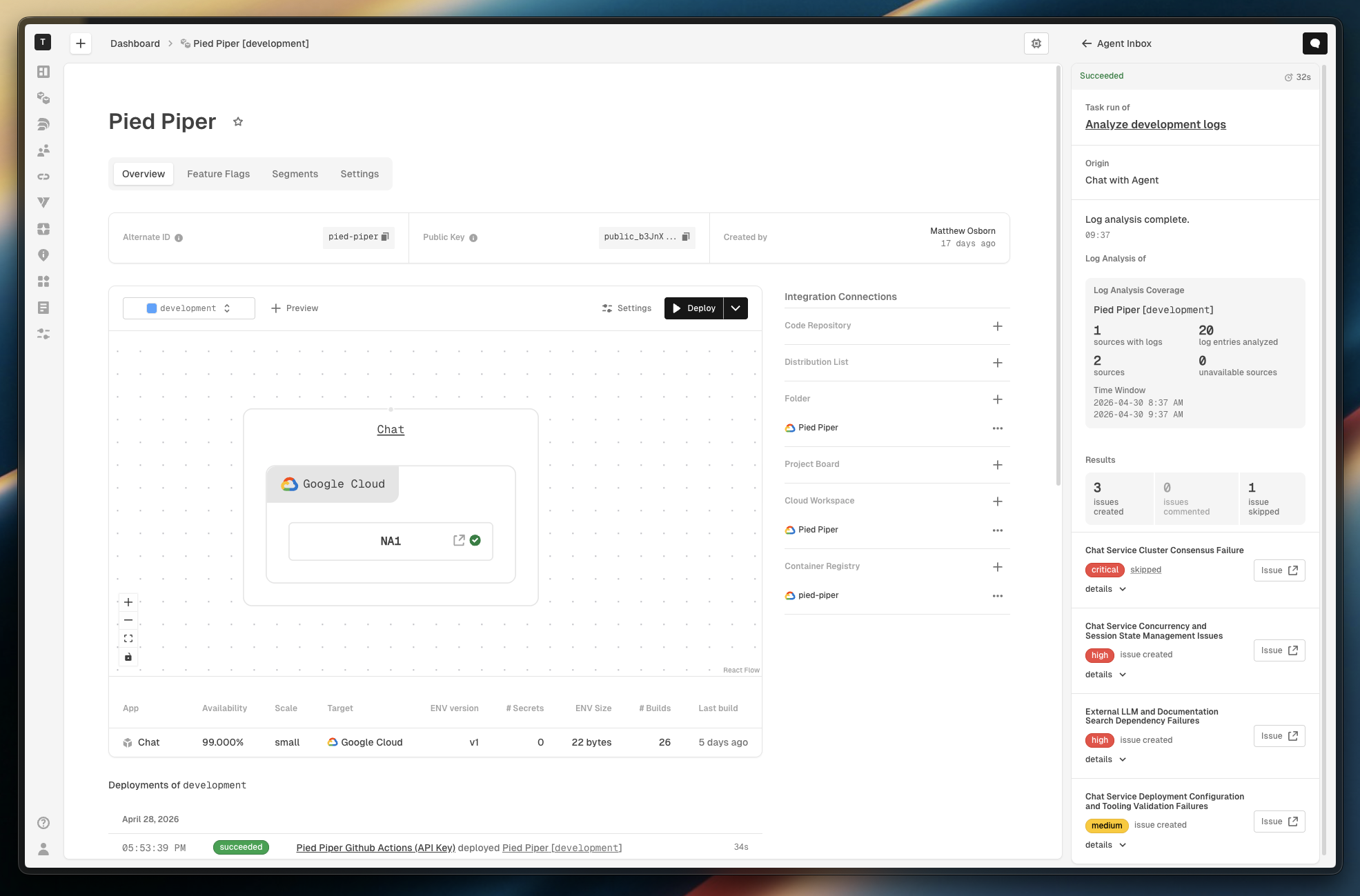
Hyphen Agent now supports a log analysis task type. By default, Hyphen Agent analyzes your cloud provider’s container logs. If the app is connected to New Relic APM, it uses APM data instead. Hyphen Agent scans for anomalies and surfaces findings by severity. Each finding is linked to a GitHub issue by creating a new issue or commenting on an existing one when a match is found.
Results appear in the run conversation view with:
- Coverage metrics showing how much of the log was analyzed
- Collapsible findings grouped by category
- An issue action summary showing how many issues were created, commented on, or skipped
Two modes are supported for New Relic APM Connections:
- Shared by environment attribute — one New Relic APM app with an environment attribute filter to separate environments
- Per environment — a distinct New Relic APM app name for each Hyphen project environment
App Detail Overhaul
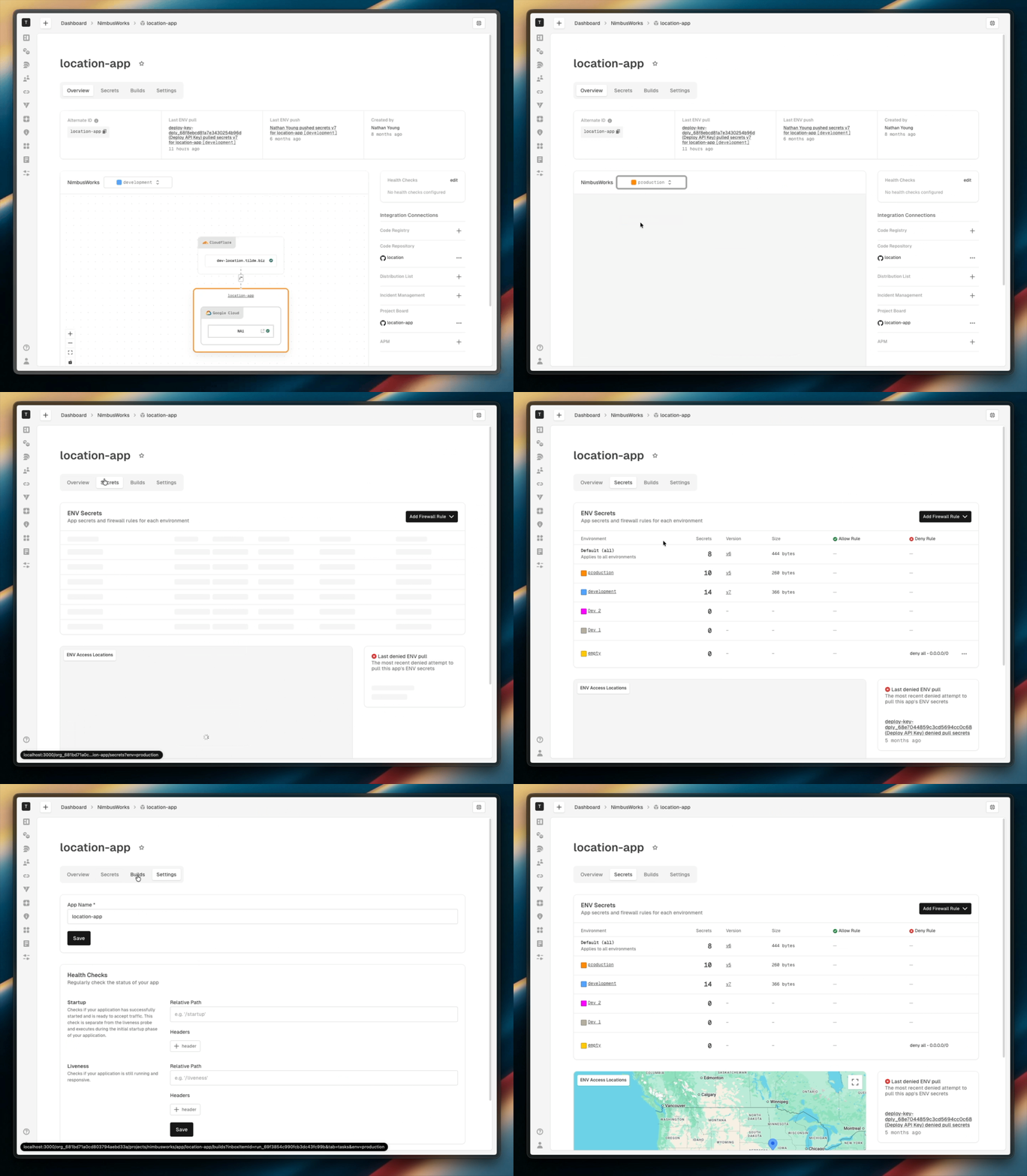
The app detail experience has been rebuilt from the ground up to be environment- and preview-aware throughout.
App overview
- A page-level environment and preview selector drives all app detail views, including deployment state, resources, and instance details
- The deployment resource diagram is embedded in the app overview with the current app's subtree persistently highlighted
- Instance-level build traceability now shows deployed location, min/max instance counts, status, URL, commit SHA, and tag inline
App secrets
- A new
/secretstab consolidates ENV secrets, firewall rules, and access map in one place - The previous app events tab has been removed
- The firewall grid now includes
Secrets,Version, andSizecolumns alongside ENV summary data - Restricted users only see placeholders instead of secret values, preserving read permissions
Smarter Chat Context
When you open a new chat session from an app detail page, Hyphen now automatically attaches the current Project, App, and Environment as separate removable context badges. The agent uses these to scope its answers and actions without you having to describe where you are. If the selected environment in the URL is stale, it falls back to the default environment automatically.
Things to Know
- Log analysis uses available data sources. The Agent analyzes container logs by default and uses New Relic APM when connected.
- Issue creation during log analysis is additive. The agent will not close or modify the body of existing issues, only comment on them when it finds a match.
- The app events tab is gone. That content has been removed; secrets and
firewall rules are now located under
/secrets. - Chat context badges are removable. If you don't want the agent scoped to the current environment or app, you can remove any badge before sending.
- Project Access settings have moved under the Project Settings tab with a redirect from the old URL
May the force be with you!