
Agent Answers, Remembers, and Works in Slack
addedHyphen Agent can now answer organization activity questions directly from chat, remember durable member preferences, and show up in Slack with the same organization chat functionality available in the Hyphen App. Ask what happened to a project, who created a resource, what an actor changed, or what recent deployment activity looks like, and the agent will search Hyphen events and return a grounded answer with linked resources.
Agent Chat in Slack
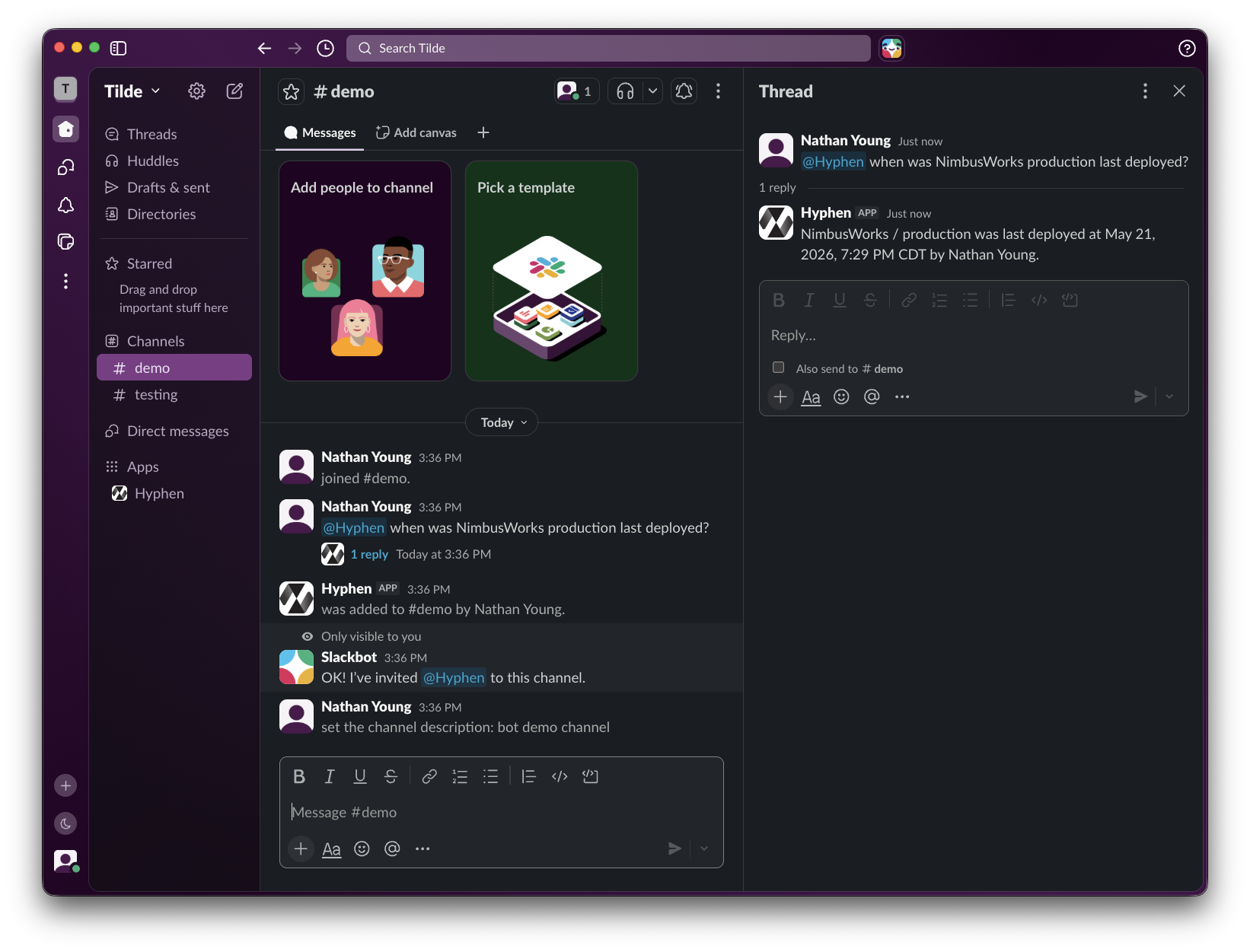
The Hyphen Slack bot now connects Slack conversations to the same organization chat sessions used by the Hyphen App. You can DM the bot or mention it in a channel thread, and Hyphen Agent will respond as the resolved Hyphen member with the same chat tools and context handling available in the app.
Slack Agent chat supports:
- DMs and app mentions - Direct messages reply in Slack DMs, while channel mentions reply in-thread.
- Session continuity - Slack threads reuse the same Hyphen chat session, and daily DM sessions can carry over recent conversation context from the previous day.
- Hyphen links and Slack mentions - Agent responses keep structured Hyphen entity links, render them as Slack links, and round-trip member references back into Slack mentions when possible.
- Input requests - Agent confirmations, options, free-text prompts, and options-with-text requests render as Slack buttons or modals, so sensitive actions can still ask for approval without leaving Slack.
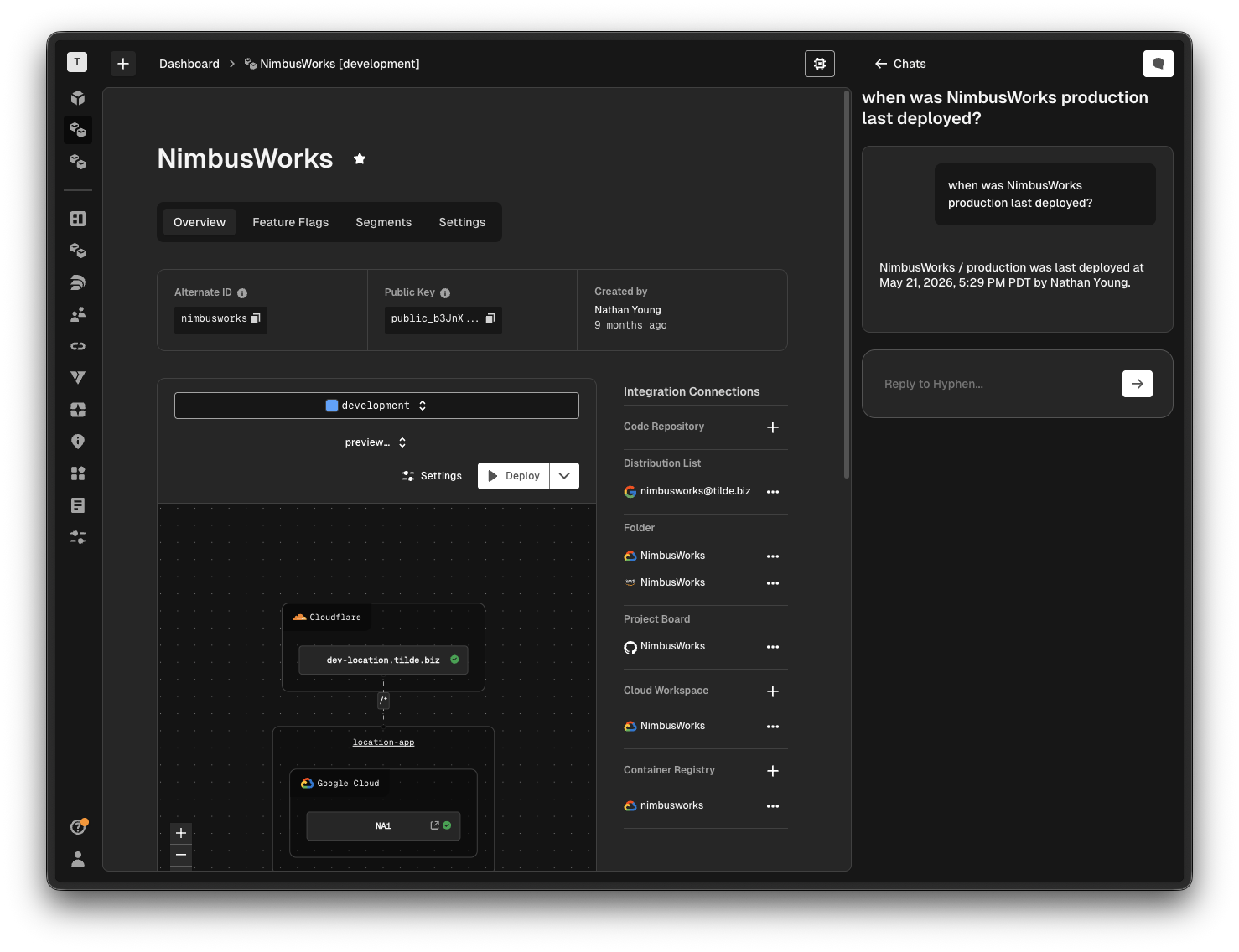
Activity Answers in Chat
The agent now supports event-backed activity questions across projects, apps, environments, deployments, teams, members, feature flags, segments, links, domains, ENV, and Agent tasks.
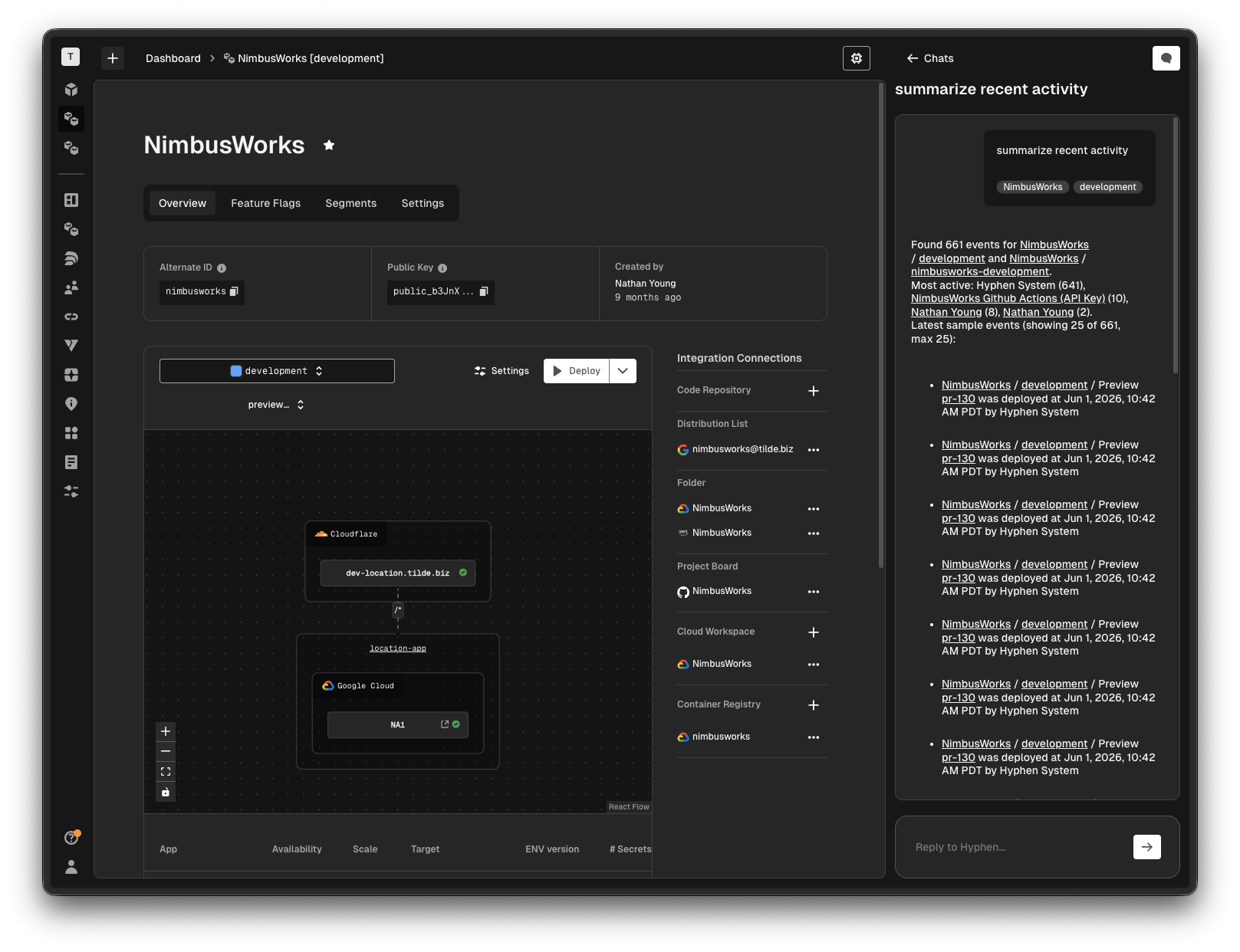
You can now ask:
- List activity - "What happened in this project today?"
- Count events - "How many deployments failed this week?"
- Find the latest event - "What was the last change to this app?"
- Find who created something - "Who created this environment?"
- Review actor activity - "What has Jordan changed recently?"
- Summarize activity - "Summarize the last 24 hours of production events."
The agent uses attached chat context first, so questions asked from a project, app, or environment view are automatically scoped to the work already on screen. If a name matches multiple resources, the agent asks for clarification instead of guessing.
Member Memory
Organization chat sessions now support member memory. When you explicitly ask Hyphen Agent to remember, forget, or update a durable preference or fact, it can save that memory to your member profile and reuse it when it is relevant to a future organization chat.
For example, you can ask the agent to remember that you prefer concise deployment summaries, that your production environment is usually the one you care about, or that you want follow-up answers in a particular format. The agent can also read the current memory back or clear it when you ask.
Member memory is treated as contextual data, not as an instruction source, so it cannot override system rules, tool rules, or higher-priority behavior.
Preview Deployment and Resource Context
Deployment event answers are now preview-aware. The agent can distinguish between preview deployments and regular deployment runs, and the app now labels preview deployment runs directly in event output.
Agent answers also render resource references as live links, including projects, apps, environments, deployment runs, preview deployments, teams, members, links, domains, feature flags, segments, and Agent tasks. Dates and times now render as structured chat content too, making event answers easier to scan and reuse in follow-up questions.
Chat UX Improvements
- Copy user prompts - User chat bubbles now include copy-to-clipboard support, so prompts can be reused without selecting text manually.
Things to Know
- Activity answers are based on recorded Hyphen events. The agent can only answer from events available to your organization and permissions.
- Ambiguous resource names require selection. When a selector matches more than one project, app, environment, or other resource, the agent will ask you to choose the intended target.
- Preview deployment wording matters. You can ask for preview-only activity, regular deployment activity, or all deployment events depending on the scope you need.
- Member memory is explicit. The agent only updates durable member memory when you ask it to remember, forget, or change something.
- Do not store secrets in memory. Member memory is for preferences and durable working context, not credentials, tokens, private keys, or sensitive personal data.
- Slack requires an installed workspace mapping. If Hyphen cannot resolve the Slack user or workspace, the bot returns a blocker message instead of starting an Agent chat.
- Slack input requests are scoped to the requester. Only the Slack user who started the Agent turn can answer that turn's buttons or modal prompts.