
2024-11-04 - QR Code Styling
addedHyphen Link supports QR codes with custom logos and styles. The example below shows how to create a QR code.
Go to your Hyphen Dashboard and then create a short code via Link. After creating it you will be able to create a QR Code for this short link.
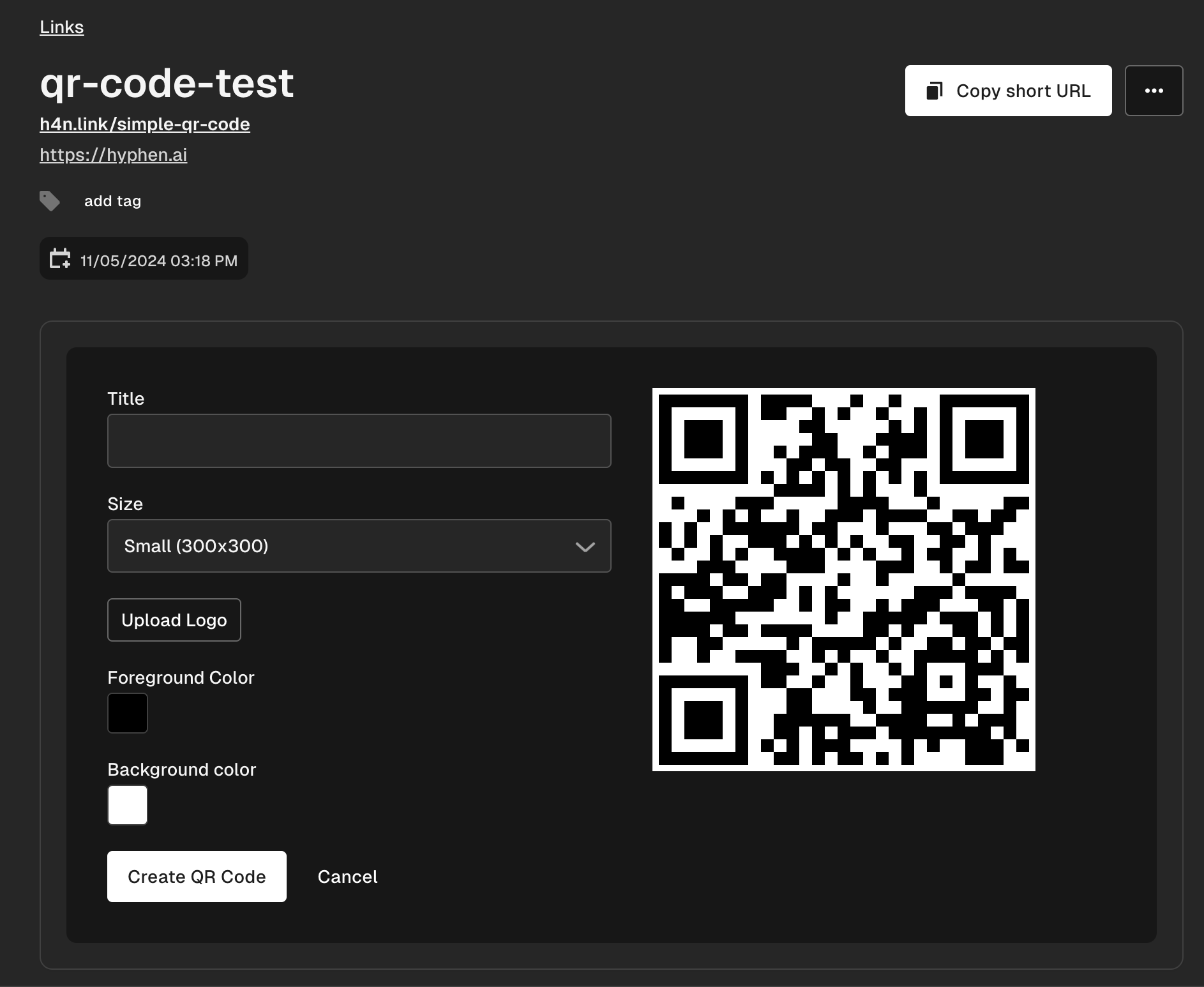
From there you can easily customize the qr code with title, size, logo, foreground and background color! 🎉 If you want to do this via API you can do the following:
POST /api/organizations/{organizationId}/link/codes/{codeId}/qrs/

{
  "title": "My QR Code",
  "options": {
    "size": 300,
    "logo": "https://hyphen.ai/logo.svg",
    "color": "#000000",
    "backgroundColor": "#FFFFFF"
  }
}